ပုံ
Wan · v2.2 A14b · Text to Image မူကွဲများ: 5
ပုံတစ်ပုံလျှင် ၀.၀၂၅ $
ပုံတစ်ပုံလျှင် ၂၅ API ခရက်ဒစ်
ကိုက်ညီမှု မတွေ့ပါ။ “video”၊ “FLUX” သို့မဟုတ် “webhooks” ကို စမ်းကြည့်ပါ။
မော်ဒယ်များကို တင်နေသည်…
wan/v2.2-a14b/image-to-video
# Run the model; wait up to 20 s for the finished result in the same call
curl -X POST "https://api.doitong.com/v1/run/wan/v2.2-a14b/image-to-video?wait=20" \
  -H "Authorization: Bearer $DOITONG_API_KEY" \
  -H "Content-Type: application/json" \
  -d '{
    "image": "https://content.doitong.com/images/showcase/v3/gen_fox_cartoon.jpg",
    "prompt": "A red fox trots through fresh snow at sunrise, soft golden light, shallow depth of field"
  }'

# Still "queued" or "running"? Poll with the id from the response:
curl "https://api.doitong.com/v1/requests/REQUEST_ID?wait=20" \
  -H "Authorization: Bearer $DOITONG_API_KEY"
const API = "https://api.doitong.com/v1";
const headers = {
"Authorization": "Bearer " + process.env.DOITONG_API_KEY,
"Content-Type": "application/json",
};
// Run the model; wait up to 20 s for the finished result in the same call
let res = await fetch(API + "/run/wan/v2.2-a14b/image-to-video?wait=20", {
method: "POST",
headers,
body: JSON.stringify({
"image": "https://content.doitong.com/images/showcase/v3/gen_fox_cartoon.jpg",
"prompt": "A red fox trots through fresh snow at sunrise, soft golden light, shallow depth of field"
}),
});
let request = await res.json();
if (!res.ok) throw new Error(request.error.code + ": " + request.error.message);
// Not finished yet: long-poll until it is
while (request.status === "queued" || request.status === "running") {
res = await fetch(API + "/requests/" + request.id + "?wait=20", { headers });
request = await res.json();
}
if (request.status !== "succeeded") throw new Error(JSON.stringify(request.error));
console.log(request.outputs.map((o) => o.url), request.cost.credits + " API credits ($" + request.cost.usd + ")");import os
import requests
API = "https://api.doitong.com/v1"
headers = {"Authorization": "Bearer " + os.environ["DOITONG_API_KEY"]}
payload = {
"image": "https://content.doitong.com/images/showcase/v3/gen_fox_cartoon.jpg",
"prompt": "A red fox trots through fresh snow at sunrise, soft golden light, shallow depth of field",
}
# Run the model; wait up to 20 s for the finished result in the same call
r = requests.post(API + "/run/wan/v2.2-a14b/image-to-video", params={"wait": 20}, json=payload, headers=headers)
request = r.json()
if not r.ok:
raise RuntimeError(request["error"]["code"] + ": " + request["error"]["message"])
# Not finished yet: long-poll until it is
while request["status"] in ("queued", "running"):
request = requests.get(API + "/requests/" + request["id"], params={"wait": 20}, headers=headers).json()
if request["status"] != "succeeded":
raise RuntimeError(request["error"])
print([o["url"] for o in request["outputs"]], request["cost"]["credits"], "API credits", "$" + request["cost"]["usd"])# 1. Connect once (Claude Code; Cursor, VS Code, Claude Desktop: https://doitong.com/my/developers/docs/mcp)
claude mcp add --transport http doitong-models https://api.doitong.com/v1/mcp \
--header "Authorization: Bearer $DOITONG_API_KEY"
# 2. Your agent calls the "run" tool with:
{
"model_id": "wan/v2.2-a14b/image-to-video",
"input": {
"image": "https://content.doitong.com/images/showcase/v3/gen_fox_cartoon.jpg",
"prompt": "A red fox trots through fresh snow at sunrise, soft golden light, shallow depth of field"
}
}Doitong API မှတစ်ဆင့် Wan v2.2 A14B မော်ဒယ် (wan/v2.2-a14b/image-to-video) ကို ခေါ်ယူပါ။ အေးဂျင့်များအတွက် စာရွက်စာတမ်းများ: https://doitong.com/my/developers/models/wan/v2.2-a14b/image-to-video.md
POST https://api.doitong.com/v1/run/wan/v2.2-a14b/image-to-video?wait=20
Authorization: Bearer $DOITONG_API_KEY
Content-Type: application/json
{
"image": "https://content.doitong.com/images/showcase/v3/gen_fox_cartoon.jpg",
"prompt": "A red fox trots through fresh snow at sunrise, soft golden light, shallow depth of field"
}
Response status သည် "queued" သို့မဟုတ် "running" ဖြစ်ပါက "succeeded" ဖြစ်သည်အထိ GET https://api.doitong.com/v1/requests/REQUEST_ID?wait=20 ဖြင့် poll လုပ်ပါ။ ဖိုင်များသည် outputs[].url တွင် ရှိသည်။ လုပ်ဆောင်မီ အတိအကျစျေးနှုန်းရရန် တူညီသော body ဖြင့် POST https://api.doitong.com/v1/quote/wan/v2.2-a14b/image-to-video ကို အသုံးပြုပါ။နမူနာကဲ့သို့ ဖိုင်များ: ၀.၄၀၅ $ ၄၀၅ API ခရက်ဒစ် လုပ်ဆောင်မီ သင့်ဖိုင်များကို တိုင်းတာသည် ဤစာမျက်နှာတွင် လုပ်ဆောင်ရန်
သင့် API ကီးအသစ်။ ၎င်းကို ယခုတစ်ကြိမ်သာ ပြသထားပြီး ကုဒ်ထဲနှင့် အောက်ပါ API ကီး အကွက်ထဲတွင် ထည့်သွင်းပြီးဖြစ်သည်။ လျှို့ဝှက်ထားပါ—ဘရောက်ဇာတွင် လုပ်ဆောင်သည့် ကုဒ်ထဲသို့ မည်သည့်အခါမျှ မထည့်ပါနှင့်။
Doitong အသိုင်းအဝိုင်းက Wan v22 Large ဖြင့် ဖန်တီးထားသော အများပြည်သူသုံး လက်ရာများ။ ပရောမ့်ကို တစ်ချက်နှိပ်၍ ပြန်အသုံးပြုပါ။
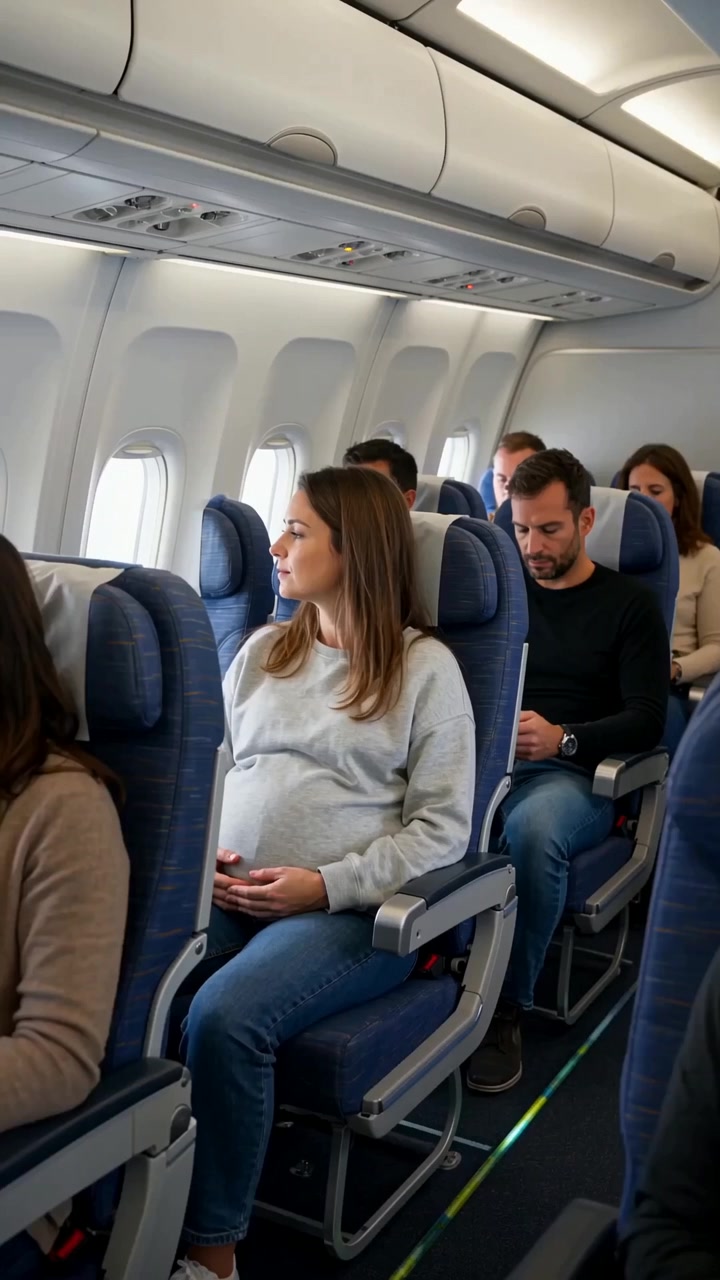 ဗီဒီယို
Create a realistic cinematic UGC-style commercial video, exactly 30 seconds long. The entire scene takes place inside a modern passenger airplane during a daytime flight. Natural smartphone-like cinematography, realistic airplane cabin, authentic passengers, natural lighting, realistic skin...
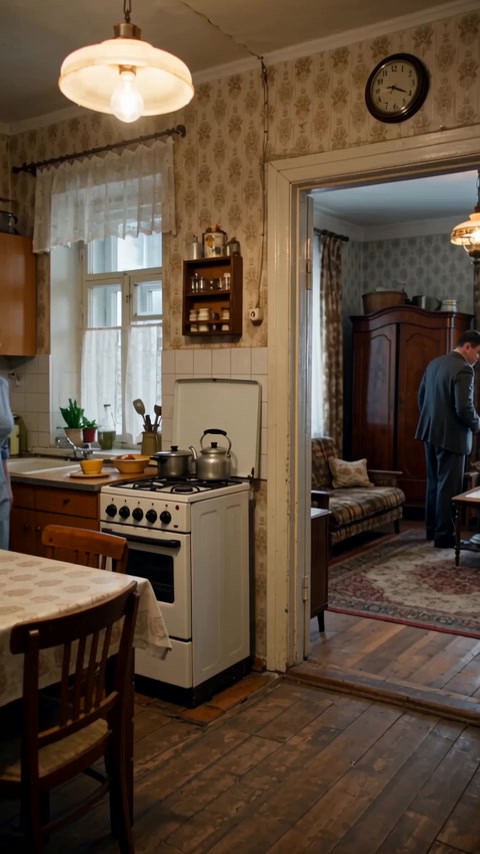 ဗီဒီယို
Реалистичная бытовая сцена в советской одесской квартире зимним вечером. Женщина находится на кухне, мужчина — в комнате и прихожей. Атмосфера обычной советской семьи перед приходом гостей. Голоса: все персонажи говорят по-русски с естественным, выразительным одесским говором. Характерная...
ထိန်းချုပ်မှုများကို မော်ဒယ် schema မှ အလိုအလျောက်ဖန်တီးသည်။ ၎င်းတို့ကို ပြောင်းလဲသည်နှင့် code နှင့် စျေးနှုန်းတို့လည်း ပြောင်းလဲမည်။
/run/wan/v2.2-a14b/image-to-video?wait=20
ကုန်ကျစရိတ် → ၀.၄၀၅ $
# Run the model; wait up to 20 s for the finished result in the same call
curl -X POST "https://api.doitong.com/v1/run/wan/v2.2-a14b/image-to-video?wait=20" \
  -H "Authorization: Bearer $DOITONG_API_KEY" \
  -H "Content-Type: application/json" \
  -d '{
    "image": "https://content.doitong.com/images/showcase/v3/gen_fox_cartoon.jpg",
    "prompt": "A red fox trots through fresh snow at sunrise, soft golden light, shallow depth of field"
  }'

# Still "queued" or "running"? Poll with the id from the response:
curl "https://api.doitong.com/v1/requests/REQUEST_ID?wait=20" \
  -H "Authorization: Bearer $DOITONG_API_KEY"
const API = "https://api.doitong.com/v1";
const headers = {
"Authorization": "Bearer " + process.env.DOITONG_API_KEY,
"Content-Type": "application/json",
};
// Run the model; wait up to 20 s for the finished result in the same call
let res = await fetch(API + "/run/wan/v2.2-a14b/image-to-video?wait=20", {
method: "POST",
headers,
body: JSON.stringify({
"image": "https://content.doitong.com/images/showcase/v3/gen_fox_cartoon.jpg",
"prompt": "A red fox trots through fresh snow at sunrise, soft golden light, shallow depth of field"
}),
});
let request = await res.json();
if (!res.ok) throw new Error(request.error.code + ": " + request.error.message);
// Not finished yet: long-poll until it is
while (request.status === "queued" || request.status === "running") {
res = await fetch(API + "/requests/" + request.id + "?wait=20", { headers });
request = await res.json();
}
if (request.status !== "succeeded") throw new Error(JSON.stringify(request.error));
console.log(request.outputs.map((o) => o.url), request.cost.credits + " API credits ($" + request.cost.usd + ")");import os
import requests
API = "https://api.doitong.com/v1"
headers = {"Authorization": "Bearer " + os.environ["DOITONG_API_KEY"]}
payload = {
"image": "https://content.doitong.com/images/showcase/v3/gen_fox_cartoon.jpg",
"prompt": "A red fox trots through fresh snow at sunrise, soft golden light, shallow depth of field",
}
# Run the model; wait up to 20 s for the finished result in the same call
r = requests.post(API + "/run/wan/v2.2-a14b/image-to-video", params={"wait": 20}, json=payload, headers=headers)
request = r.json()
if not r.ok:
raise RuntimeError(request["error"]["code"] + ": " + request["error"]["message"])
# Not finished yet: long-poll until it is
while request["status"] in ("queued", "running"):
request = requests.get(API + "/requests/" + request["id"], params={"wait": 20}, headers=headers).json()
if request["status"] != "succeeded":
raise RuntimeError(request["error"])
print([o["url"] for o in request["outputs"]], request["cost"]["credits"], "API credits", "$" + request["cost"]["usd"]){
"jsonrpc": "2.0",
"id": 1,
"method": "tools/call",
"params": {
"name": "run",
"arguments": {
"model_id": "wan/v2.2-a14b/image-to-video",
"input": {
"image": "https://content.doitong.com/images/showcase/v3/gen_fox_cartoon.jpg",
"prompt": "A red fox trots through fresh snow at sunrise, soft golden light, shallow depth of field"
},
"wait_seconds": 20
}
}
}သင့် key သည် ဤဘရောက်ဇာထဲတွင်သာ ရှိမည်ဖြစ်ပြီး Doitong API သို့သာ ပို့မည်။ Remember ကို အမှန်ခြစ်ထားမှသာ (localStorage) တွင် သိမ်းမည်။ API ကီး ရယူရန်
`image_url` တစ်ခုနှင့် စာသားပရောမ့်ကို ဗီဒီယိုအဖြစ် ပြောင်းပေးပြီး ရွေးချယ်နိုင်သော `end_image_url` ဖြင့် နောက်ဆုံးဖရိမ်ကို သတ်မှတ်နိုင်သည်။ ထွက်ရလဒ်သည် 480p၊ 580p သို့မဟုတ် 720p ဖြစ်ပြီး အချိုးအစားမှာ auto၊ 16:9၊ 9:16 သို့မဟုတ် 1:1 ဖြစ်သည်။ ဖရိမ် 17 မှ 161 ခုနှင့် တစ်စက္ကန့်လျှင် ဖရိမ် 4 မှ 60 ခု ရှိနိုင်သည်။ ဆမ်ပလင်းကို Inference အဆင့်များ၊ လမ်းညွှန်မှုစကေး 2 ခု၊ shift၊ နဂ္ဂတစ် ပရောမ့်နှင့် စီးဒ်တို့ဖြင့် ချိန်ညှိနိုင်သည်။ film သို့မဟုတ် rife ရွေးချယ်မှုဖြင့် ဖရိမ်အကြားတန်ဖိုးဖြည့်ခြင်းကို ရရှိနိုင်သည်။
စံအမည် သို့မဟုတ် မူရင်းအမည် တစ်ခုခုကိုသာ ပို့ပါ၊ နှစ်ခုလုံး မပို့ပါနှင့်။ စံအမည်များ
image_urlလိုအပ်သည်
image
promptလိုအပ်သည်
num_framesရွေးချယ်နိုင်သည်
frames_per_secondရွေးချယ်နိုင်သည်
negative_promptရွေးချယ်နိုင်သည်
seedရွေးချယ်နိုင်သည်
resolutionရွေးချယ်နိုင်သည်
aspect_ratioရွေးချယ်နိုင်သည်
num_inference_stepsရွေးချယ်နိုင်သည်
enable_safety_checkerရွေးချယ်နိုင်သည်
enable_output_safety_checkerရွေးချယ်နိုင်သည်
enable_prompt_expansionရွေးချယ်နိုင်သည်
accelerationရွေးချယ်နိုင်သည်
guidance_scaleရွေးချယ်နိုင်သည်
guidance_scale_2ရွေးချယ်နိုင်သည်
shiftရွေးချယ်နိုင်သည်
interpolator_modelရွေးချယ်နိုင်သည်
num_interpolated_framesရွေးချယ်နိုင်သည်
adjust_fps_for_interpolationရွေးချယ်နိုင်သည်
video_qualityရွေးချယ်နိုင်သည်
video_write_modeရွေးချယ်နိုင်သည်
end_image_urlရွေးချယ်နိုင်သည်
end_image
ဖိုင်ပါရာမီတာများသည် အများပြည်သူသုံး https:// URL၊ 10 MB အထိ data: URI သို့မဟုတ် အပ်လုဒ်လုပ်ထားသောဖိုင်၏ file_url ကို လက်ခံသည်။ ဖိုင်များ
{
  "id": "req_8k2m4q7x1z9c3v5b6n0p2r4t",
  "object": "request",
  "model": "wan/v2.2-a14b/image-to-video",
  "status": "succeeded",
  "created_at": "2026-10-20T12:00:00Z",
  "started_at": "2026-10-20T12:00:02Z",
  "completed_at": "2026-10-20T12:00:09Z",
  "queue_position": null,
  "cost": {
    "credits": 405,
    "usd": "0.405",
    "charged": 405,
    "refunded": 0
  },
  "input": {
    "prompt": "A red fox trots through fresh snow at sunrise, soft golden light, shallow depth of field",
    "image_url": "https://content.doitong.com/images/showcase/v3/gen_fox_cartoon.jpg"
  },
  "output": {
    "video": {
      "url": "https://content.doitong.com/dev-api/2026/10/20/req_8k2m4q7x1z9c3v5b6n0p2r4t/0-output.mp4",
      "content_type": "video/mp4",
      "file_name": "0-output.mp4",
      "file_size": 1843200
    },
    "prompt": "The white dragon warrior stands still, eyes full of determination and strength. The camera slowly moves closer or circles around the warrior, highlighting the powerful presence and heroic spirit of the character.",
    "seed": 42
  },
  "outputs": [
    {
      "type": "video",
      "url": "https://content.doitong.com/dev-api/2026/10/20/req_8k2m4q7x1z9c3v5b6n0p2r4t/0-output.mp4",
      "content_type": "video/mp4",
      "file_size": 1843200,
      "width": 1280,
      "height": 720,
      "duration": 5,
      "stored": true
    }
  ],
  "error": null,
  "metrics": {
    "inference_seconds": 6.8
  },
  "urls": {
    "self": "https://api.doitong.com/v1/requests/req_8k2m4q7x1z9c3v5b6n0p2r4t",
    "cancel": "https://api.doitong.com/v1/requests/req_8k2m4q7x1z9c3v5b6n0p2r4t/cancel"
  }
}


AI အေးဂျင့်များအတွက်- ဤစာမျက်နှာ၏ Markdown ကို ဤနေရာတွင် ရရှိနိုင်သည် https://doitong.com/my/developers/models/wan/v2.2-a14b/image-to-video.md. မော်ဒယ်များနှင့် လမ်းညွှန်များအားလုံး: https://doitong.com/developers/llms.txt