इमेज
Wan 2.5 Text to Image वेरिएंट: 4
प्रति इमेज $0.05
प्रति इमेज 50 API क्रेडिट
कोई मिलान नहीं मिला। “video”, “FLUX” या “webhooks” आज़माएँ।
मॉडल लोड हो रहे हैं…
wan-25-preview/image-to-image
# Run the model; wait up to 20 s for the finished result in the same call
curl -X POST "https://api.doitong.com/v1/run/wan-25-preview/image-to-image?wait=20" \
  -H "Authorization: Bearer $DOITONG_API_KEY" \
  -H "Content-Type: application/json" \
  -d '{
    "prompt": "A red fox trots through fresh snow at sunrise, soft golden light, shallow depth of field",
    "images": [
      "https://content.doitong.com/images/showcase/v3/gen_fox_cartoon.jpg"
    ]
  }'

# Still "queued" or "running"? Poll with the id from the response:
curl "https://api.doitong.com/v1/requests/REQUEST_ID?wait=20" \
  -H "Authorization: Bearer $DOITONG_API_KEY"
const API = "https://api.doitong.com/v1";
const headers = {
"Authorization": "Bearer " + process.env.DOITONG_API_KEY,
"Content-Type": "application/json",
};
// Run the model; wait up to 20 s for the finished result in the same call
let res = await fetch(API + "/run/wan-25-preview/image-to-image?wait=20", {
method: "POST",
headers,
body: JSON.stringify({
"prompt": "A red fox trots through fresh snow at sunrise, soft golden light, shallow depth of field",
"images": [
"https://content.doitong.com/images/showcase/v3/gen_fox_cartoon.jpg"
]
}),
});
let request = await res.json();
if (!res.ok) throw new Error(request.error.code + ": " + request.error.message);
// Not finished yet: long-poll until it is
while (request.status === "queued" || request.status === "running") {
res = await fetch(API + "/requests/" + request.id + "?wait=20", { headers });
request = await res.json();
}
if (request.status !== "succeeded") throw new Error(JSON.stringify(request.error));
console.log(request.outputs.map((o) => o.url), request.cost.credits + " API credits ($" + request.cost.usd + ")");import os
import requests
API = "https://api.doitong.com/v1"
headers = {"Authorization": "Bearer " + os.environ["DOITONG_API_KEY"]}
payload = {
"prompt": "A red fox trots through fresh snow at sunrise, soft golden light, shallow depth of field",
"images": [
"https://content.doitong.com/images/showcase/v3/gen_fox_cartoon.jpg",
],
}
# Run the model; wait up to 20 s for the finished result in the same call
r = requests.post(API + "/run/wan-25-preview/image-to-image", params={"wait": 20}, json=payload, headers=headers)
request = r.json()
if not r.ok:
raise RuntimeError(request["error"]["code"] + ": " + request["error"]["message"])
# Not finished yet: long-poll until it is
while request["status"] in ("queued", "running"):
request = requests.get(API + "/requests/" + request["id"], params={"wait": 20}, headers=headers).json()
if request["status"] != "succeeded":
raise RuntimeError(request["error"])
print([o["url"] for o in request["outputs"]], request["cost"]["credits"], "API credits", "$" + request["cost"]["usd"])# 1. Connect once (Claude Code; Cursor, VS Code, Claude Desktop: https://doitong.com/hi/developers/docs/mcp)
claude mcp add --transport http doitong-models https://api.doitong.com/v1/mcp \
--header "Authorization: Bearer $DOITONG_API_KEY"
# 2. Your agent calls the "run" tool with:
{
"model_id": "wan-25-preview/image-to-image",
"input": {
"prompt": "A red fox trots through fresh snow at sunrise, soft golden light, shallow depth of field",
"images": [
"https://content.doitong.com/images/showcase/v3/gen_fox_cartoon.jpg"
]
}
}Wan 2.5 Image to Image मॉडल (wan-25-preview/image-to-image) को Doitong API के ज़रिए कॉल करें। एजेंट के लिए दस्तावेज़: https://doitong.com/hi/developers/models/wan-25-preview/image-to-image.md
POST https://api.doitong.com/v1/run/wan-25-preview/image-to-image?wait=20
Authorization: Bearer $DOITONG_API_KEY
Content-Type: application/json
{
"prompt": "A red fox trots through fresh snow at sunrise, soft golden light, shallow depth of field",
"images": [
"https://content.doitong.com/images/showcase/v3/gen_fox_cartoon.jpg"
]
}
यदि रिस्पॉन्स स्टेटस "queued" या "running" है, तो GET https://api.doitong.com/v1/requests/REQUEST_ID?wait=20 को तब तक पोल करें जब तक यह "succeeded" न हो जाए; फ़ाइलें outputs[].url में हैं। उसी बॉडी के साथ POST https://api.doitong.com/v1/quote/wan-25-preview/image-to-image चलाने से रन से पहले सटीक कीमत मिलती है।यह अनुरोध: $0.05 50 API क्रेडिट इसे इस पेज पर चलाएँ
आपकी नई API कुंजी। यह केवल अभी दिखाया गया है और कोड तथा नीचे दिए गए API कुंजी फ़ील्ड में पहले से मौजूद है। इसे गुप्त रखें: इसे कभी भी ब्राउज़र में चलने वाले कोड में न डालें।
Doitong समुदाय द्वारा Wan 2.5 से बनाए गए सार्वजनिक कार्य। एक क्लिक में प्रॉम्प्ट का पुनः उपयोग करें।
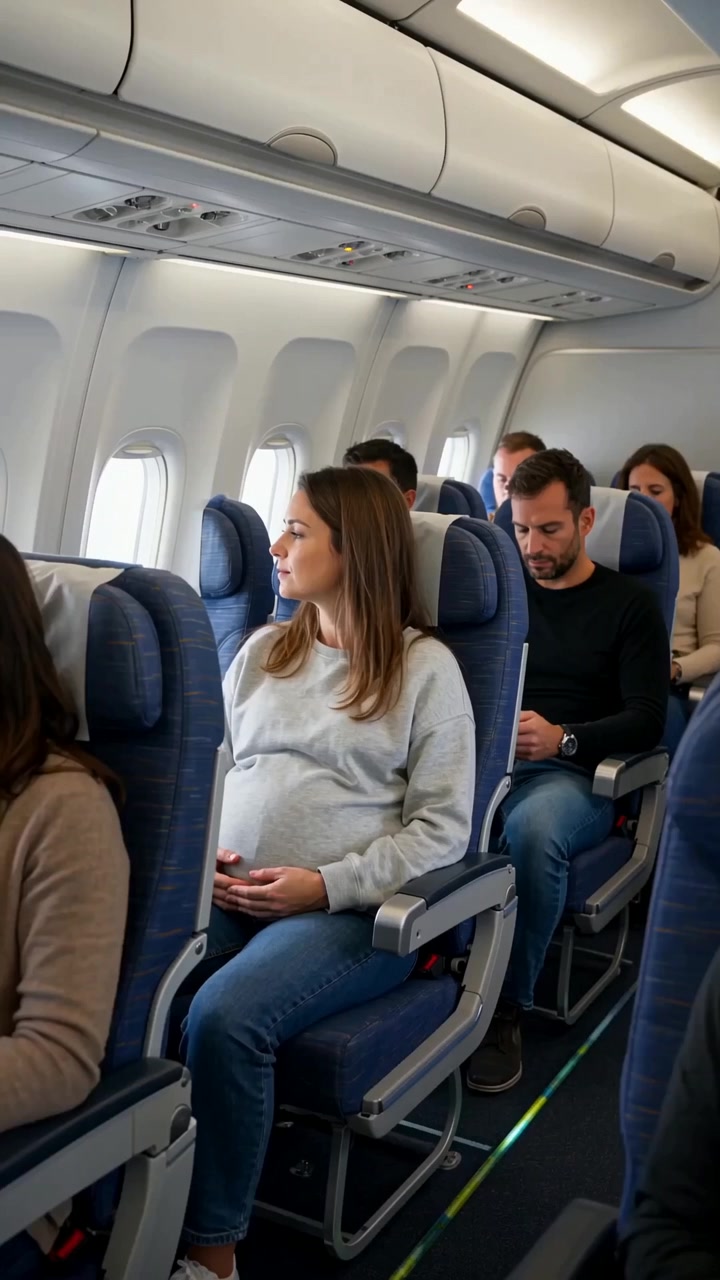 वीडियो
Create a realistic cinematic UGC-style commercial video, exactly 30 seconds long. The entire scene takes place inside a modern passenger airplane during a daytime flight. Natural smartphone-like cinematography, realistic airplane cabin, authentic passengers, natural lighting, realistic skin...
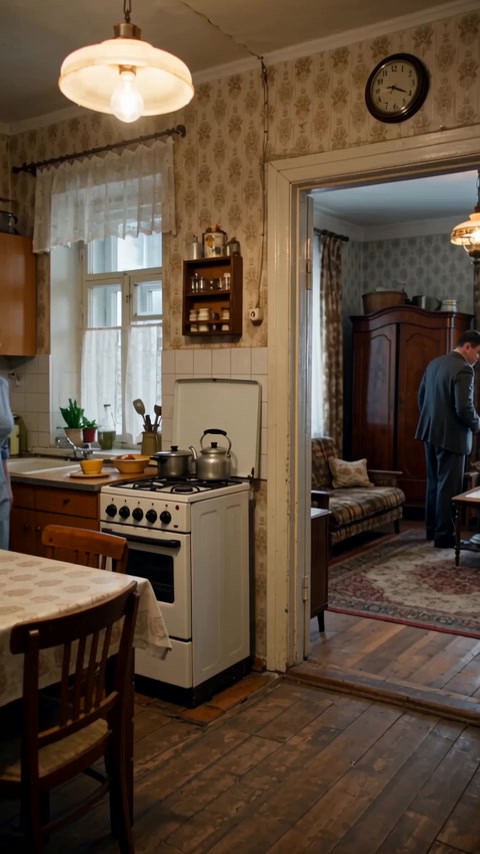 वीडियो
Реалистичная бытовая сцена в советской одесской квартире зимним вечером. Женщина находится на кухне, мужчина — в комнате и прихожей. Атмосфера обычной советской семьи перед приходом гостей. Голоса: все персонажи говорят по-русски с естественным, выразительным одесским говором. Характерная...
कंट्रोल मॉडल स्कीमा से जनरेट होते हैं। इन्हें बदलने पर कोड और कीमत अपडेट होती है।
/run/wan-25-preview/image-to-image?wait=20
कोटेशन → $0.05
# Run the model; wait up to 20 s for the finished result in the same call
curl -X POST "https://api.doitong.com/v1/run/wan-25-preview/image-to-image?wait=20" \
  -H "Authorization: Bearer $DOITONG_API_KEY" \
  -H "Content-Type: application/json" \
  -d '{
    "prompt": "A red fox trots through fresh snow at sunrise, soft golden light, shallow depth of field",
    "images": [
      "https://content.doitong.com/images/showcase/v3/gen_fox_cartoon.jpg"
    ]
  }'

# Still "queued" or "running"? Poll with the id from the response:
curl "https://api.doitong.com/v1/requests/REQUEST_ID?wait=20" \
  -H "Authorization: Bearer $DOITONG_API_KEY"
const API = "https://api.doitong.com/v1";
const headers = {
"Authorization": "Bearer " + process.env.DOITONG_API_KEY,
"Content-Type": "application/json",
};
// Run the model; wait up to 20 s for the finished result in the same call
let res = await fetch(API + "/run/wan-25-preview/image-to-image?wait=20", {
method: "POST",
headers,
body: JSON.stringify({
"prompt": "A red fox trots through fresh snow at sunrise, soft golden light, shallow depth of field",
"images": [
"https://content.doitong.com/images/showcase/v3/gen_fox_cartoon.jpg"
]
}),
});
let request = await res.json();
if (!res.ok) throw new Error(request.error.code + ": " + request.error.message);
// Not finished yet: long-poll until it is
while (request.status === "queued" || request.status === "running") {
res = await fetch(API + "/requests/" + request.id + "?wait=20", { headers });
request = await res.json();
}
if (request.status !== "succeeded") throw new Error(JSON.stringify(request.error));
console.log(request.outputs.map((o) => o.url), request.cost.credits + " API credits ($" + request.cost.usd + ")");import os
import requests
API = "https://api.doitong.com/v1"
headers = {"Authorization": "Bearer " + os.environ["DOITONG_API_KEY"]}
payload = {
"prompt": "A red fox trots through fresh snow at sunrise, soft golden light, shallow depth of field",
"images": [
"https://content.doitong.com/images/showcase/v3/gen_fox_cartoon.jpg",
],
}
# Run the model; wait up to 20 s for the finished result in the same call
r = requests.post(API + "/run/wan-25-preview/image-to-image", params={"wait": 20}, json=payload, headers=headers)
request = r.json()
if not r.ok:
raise RuntimeError(request["error"]["code"] + ": " + request["error"]["message"])
# Not finished yet: long-poll until it is
while request["status"] in ("queued", "running"):
request = requests.get(API + "/requests/" + request["id"], params={"wait": 20}, headers=headers).json()
if request["status"] != "succeeded":
raise RuntimeError(request["error"])
print([o["url"] for o in request["outputs"]], request["cost"]["credits"], "API credits", "$" + request["cost"]["usd"]){
"jsonrpc": "2.0",
"id": 1,
"method": "tools/call",
"params": {
"name": "run",
"arguments": {
"model_id": "wan-25-preview/image-to-image",
"input": {
"prompt": "A red fox trots through fresh snow at sunrise, soft golden light, shallow depth of field",
"images": [
"https://content.doitong.com/images/showcase/v3/gen_fox_cartoon.jpg"
]
},
"wait_seconds": 20
}
}
}आपकी key इसी ब्राउज़र में रहती है: इसे केवल Doitong API को भेजा जाता है और केवल तभी (localStorage) में सेव किया जाता है जब आप Remember चुनते हैं। API कुंजी प्राप्त करें
अधिकतम 2000 कैरेक्टर वाले टेक्स्ट `prompt` से छवि संपादित करता है। `image_urls` में एकल संपादन के लिए एक छवि या मल्टी-रेफ़रेंस जनरेशन के लिए दो छवियां दी जाती हैं; दो से अधिक अतिरिक्त छवियों को अनदेखा किया जाता है। `image_size` में छह प्रीसेट हैं, जिनकी चौड़ाई और ऊंचाई 384 से 1440 पिक्सेल के बीच होती है। यह प्रति कॉल 1 से 4 छवियां लौटा सकता है और `negative_prompt` तथा `seed` स्वीकार करता है।
कैनोनिकल नाम या नेटिव नाम में से कोई एक भेजें, दोनों नहीं। कैनोनिकल नाम
promptआवश्यक
image_urlsआवश्यक
images
negative_promptवैकल्पिक
image_sizeवैकल्पिक
num_imagesवैकल्पिक
num_outputs
seedवैकल्पिक
enable_safety_checkerवैकल्पिक
फ़ाइल पैरामीटर में सार्वजनिक https:// URL, 10 MB तक का data: URI, या अपलोड का file_url लिया जाता है। फ़ाइलें
{
  "id": "req_8k2m4q7x1z9c3v5b6n0p2r4t",
  "object": "request",
  "model": "wan-25-preview/image-to-image",
  "status": "succeeded",
  "created_at": "2026-10-20T12:00:00Z",
  "started_at": "2026-10-20T12:00:02Z",
  "completed_at": "2026-10-20T12:00:09Z",
  "queue_position": null,
  "cost": {
    "credits": 50,
    "usd": "0.05",
    "charged": 50,
    "refunded": 0
  },
  "input": {
    "prompt": "A red fox trots through fresh snow at sunrise, soft golden light, shallow depth of field",
    "image_urls": [
      "https://content.doitong.com/images/showcase/v3/gen_fox_cartoon.jpg"
    ]
  },
  "output": {
    "images": [
      {
        "url": "https://content.doitong.com/dev-api/2026/10/20/req_8k2m4q7x1z9c3v5b6n0p2r4t/0-output.jpeg",
        "content_type": "image/jpeg",
        "file_name": "0-output.jpeg",
        "file_size": 1843200,
        "width": 1024,
        "height": 768
      }
    ],
    "seeds": [
      42
    ],
    "actual_prompt": "Reimagine the scene under a raging thunderstorm at night: lightning forks across the sky, illuminating the samurai in stark flashes of white light."
  },
  "outputs": [
    {
      "type": "image",
      "url": "https://content.doitong.com/dev-api/2026/10/20/req_8k2m4q7x1z9c3v5b6n0p2r4t/0-output.jpeg",
      "content_type": "image/jpeg",
      "file_size": 1843200,
      "width": 1024,
      "height": 768,
      "stored": true
    }
  ],
  "error": null,
  "metrics": {
    "inference_seconds": 6.8
  },
  "urls": {
    "self": "https://api.doitong.com/v1/requests/req_8k2m4q7x1z9c3v5b6n0p2r4t",
    "cancel": "https://api.doitong.com/v1/requests/req_8k2m4q7x1z9c3v5b6n0p2r4t/cancel"
  }
}



AI एजेंट के लिए: इस पेज का Markdown यहाँ है https://doitong.com/hi/developers/models/wan-25-preview/image-to-image.md. सभी मॉडल और गाइड: https://doitong.com/developers/llms.txt